.png)

Submit iOS apps, manage listings, and prepare builds through App Store Connect.
Test applications with users through TestFlight before releasing them publicly.
Monitor app performance and manage updates after applications reach users.
For developers building apps for Apple devices, creating the application is only one part of the process. Before an iPhone or iPad app can reach users through the App Store, developers must submit it to Apple and manage its listing, testing, releases, and performance in App Store Connect.
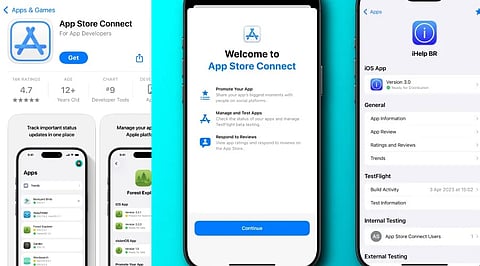
Apple’s App Store Connect gives developers the tools to prepare an app for distribution, submit it for review, and manage it after publication. The platform also brings together information that developers need to monitor an app’s performance and user engagement.
App Store Connect is Apple’s platform for managing apps distributed through the App Store. Developers can use it to submit new applications, provide information for their App Store listings, and manage updates to applications that are already available.
The platform also supports testing before an app is released publicly. Developers can use TestFlight to distribute beta versions of their apps to testers, helping them identify problems and collect feedback before a wider release.
This makes App Store Connect an important part of the publishing process for developers.
Before uploading an application, one should create an app record in App Store Connect. This establishes the application in the Apple system and serves as the basis for its App Store listing.
Enter the app name, description, keywords, and other metadata. Prepare screenshots and other required information according to Apple's requirements.
These details are important because they inform users about the services provided by the application.
Also Read: Top Productivity Apps for iPhone
Developers can now upload a build for submission after preparing the app and store metadata. They can use Apple’s development and distribution tools such as Xcode.
Once the build is added to App Store Connect, developers can select the version they want to submit and input the required information. Apple will review the application and make it available for downloading from the App Store.
In other words, the application must be complete and working before it is submitted.
TestFlight enables developers to distribute beta versions of their apps to testers before officially releasing them. Testing helps developers find technical problems, usability issues, and other issues that weren't caught during development.
Programmers can then use testers’ feedback to improve the app before submitting it to the App Store.
Also Read: Google Gemini | Artificial Intelligence | App for AI Assistance & Productivity
App Store Connect is another service used even after the software is released. This platform lets developers update and submit new versions of their application.
Each update can include a new build, new metadata, and other necessary data. The decision of when to release a version depends on the available release options. This approach makes it possible to support the software after release.
App management doesn’t necessarily stop at launching the application to the App Store. App Store Connect lets developers access information that helps them understand how their applications perform.
The developers have access to analytics and other information related to their applications, which is useful for evaluating various performance parameters of the application.
Developers must also ensure that App Store listings remain relevant if they modify or update the app.
Ensure users receive all pertinent information about the app and its features. For developers who want to establish themselves in Apple’s marketplaces long term, App Store Connect becomes a hub for all App Store operations, from preparing and testing the app with users to updating it and analyzing its performance.
While the process may require some prep work, developers can use App Store Connect systematically to take their app from development to launch and beyond.
What is App Store Connect?
App Store Connect is Apple’s platform for submitting, testing, publishing, updating, and monitoring applications distributed through the App Store.
How do developers submit an iOS app?
Developers create an app record, upload a build, complete required information, and submit the application for Apple’s review process.
What is TestFlight used for?
TestFlight allows developers to distribute beta app versions to testers, helping identify technical issues and collect feedback before public release.
Can developers manage app updates through App Store Connect?
Yes, developers can submit new builds, update metadata, manage releases, and deliver improvements, features, and fixes through App Store Connect.
Can developers monitor app performance?
Yes, App Store Connect provides analytics and performance information that helps developers understand downloads, engagement, and other application activity.
