.png)

AI-Powered Coding: Automate routine coding tasks, generate features, and identify potential errors while maintaining developer oversight.
Simplified Testing: Device Hub helps developers manage devices and simulators for more efficient app testing.
Improved Performance: Enhanced Instruments and localization tools help optimize app speed, energy usage, and multilingual experiences.
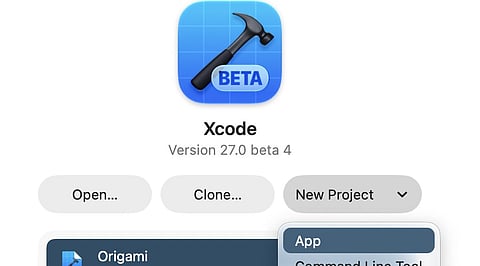
Xcode 27 gives Apple developers new ways to build apps, fix code, test devices, and improve app speed. The latest release updates include Xcode 27.1 Release Candidate (RC), which the tech giant announced on October 5, 2026. Apple has also listed Xcode 27.2 beta 2, dated September 28, 2026. These updates matter for developers who want to create apps for iPhone, iPad, Mac, Apple Watch, Apple TV, and Apple Vision Pro.
Xcode 27 has new AI tools that help developers build apps. These tools can write code, add new features, improve old code, and fix errors. For example, an AI tool can help create a simple app screen or find a code problem. This saves time, but developers still need to check and test the code.
Xcode 27 also adds Device Hub, a tool that helps developers manage devices and simulators from one place. A simulator lets an app run on a virtual Apple device on a Mac. This helps developers test app screens, check features, and find errors without the need to use a physical device for every test. Device Hub can also help developers review device details and repeat tests under similar conditions. These tools make it easier to spot problems before an app reaches users.
The speed of an app is significant when a display screen takes time to load or a specific function drains a lot of energy. Apple Xcode provides its users with Instruments, a program that allows devs to monitor the performance of their applications.
With the latest revision, new methods of analyzing the CPU usage, deadline realization, and threads activity were developed. All this information will pave the path to the understanding of why the app goes slow or why the task takes longer than it was supposed to do. A developer is able to apply the information received in order to find bugs in the software code.
Also Read - Apple macOS 27.2 Beta 2 is Here: New Siri AI Support, Key Fixes
Many apps require help in processing several languages at the same time. Xcode 27 enhances the system of working with strings catalogs, which serves as storage for all in-app texts. Making use of AI proved helpful in adding languages, updating texts, and processing plural forms. Plural forms are essential for handling the messages according to the count (1 item vs 5 items). Although these tools lessen the amount of manual labor needed, developers still must review translations and how text looks on the screen since the right layout and language are required for successful usage in various parts of the world.
Xcode 27.1 adds support for Apple's upcoming iPhone Duo, with updated software tools and simulator options for different poses and screen orientations. The company announced availability for October 23, 2026. This support gives developers a chance to test how app layouts respond to the device's form and orientation. Such tests matter for apps with menus, photos, video, maps, and other features that rely on screen space. Developers can check these details before users get the device.
Apple's app submission rules also deserve attention. Since April 28, 2026, new app submissions must use Xcode 26 or later and an SDK for a supported version of its operating systems, such as iOS 26, iPadOS 26, tvOS 26, visionOS 26, or watchOS 26, as applicable. Apple developers should check current rules before a release. Xcode 27.1 RC also requires macOS Tahoe 26.6 or later, so a Mac that runs an older system may need an update before it can use this release.
Why this Matters
Xcode 27 matters for developers who want to build better apps with less effort. AI tools can help with code tasks, while Device Hub and Instruments make app tests and speed checks easier. These updates help developers fix errors, improve app quality, meet Apple’s submission rules, and deliver smoother user experiences.
The official Xcode downloads, release notes, and development news are hosted on Apple's site. The Xcode page contains information on the application's features. The release notes, as expected, present the changes, bugs, and any issues connected to the previous version. Thus, it is important for developers to read these notes before installing any updates on their Macs or changing the build version in the production team.
Xcode 27 is more focused on efficient coding than before. The AI agents can help developers with performing simple coding tasks, while Device Hub helps make device testing simpler, and Instruments identifies the areas of the application that are slow. After all, efficacy in Xcode still depends on the thorough examination of codes as well as proper testing on the right devices.
1. What is Xcode 27?
Xcode 27 is Apple's development environment for building, testing, debugging, and distributing apps across Apple platforms.
2. What are the key features of Xcode 27?
Key features include AI coding assistance, Device Hub, enhanced Instruments, and improved localization workflows.
3. How does Device Hub help developers?
Device Hub centralizes device and simulator management, making it easier to test app layouts, features, and compatibility.
4. Can Xcode 27 AI tools replace developers?
No. AI tools can assist with code generation, refactoring, and debugging, but developers must review, validate, and test the generated code.
5. Where can developers download Xcode updates?
Developers can find official downloads, release notes, and documentation on Apple's developer website: https://developer.apple.com/xcode/
