.png)

Google uses account details and verification methods to restore access after a password is forgotten.
Missing or outdated recovery information can complicate the process and require additional verification.
Post-recovery security measures help protect the account and reduce the risk of future access problems.
A forgotten Gmail password rarely stays a small problem, since email anchors banking alerts, work threads, cloud logins, and password resets for nearly every other account tied to it. Guessing the password again solves nothing. Google's recovery process asks a sharper question: can this person prove the account is theirs?
Recovery depends less on memory than on evidence. Current recovery details, along with a familiar device, browser, and location, strengthen that evidence and affect how quickly access is restored. The password was never really the point.
Most recovery attempts stall for reasons unrelated to the forgotten password itself. A recovery phone number tied to an old SIM card cannot receive a verification code. A recovery email set up years earlier sits unchecked and forgotten.
Location and device also matter. An attempt from an unfamiliar browser, device, or location can make recovery more difficult. Google recommends using a familiar device, browser, and location where possible. Recovery is not purely a password problem. It is an identity-matching problem, and every unfamiliar signal slows that match down.
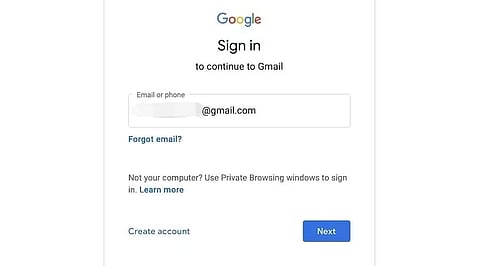
Open the Account Recovery page: Go to Google's official recovery page.
Enter your Gmail address: Use the exact address associated with the locked account.
Follow the verification prompts: Google shows the recovery options available for that particular account.
Enter the most recent password remembered: If unclear, an earlier password linked to the account can be used instead.
Complete the available verification method: This might involve a recovery phone, a recovery email, or another prompt Google offers.
Create a new password: Once ownership is confirmed, Google walks you through the reset.
Sometimes both your phone number and email are out of reach. This makes recovery harder, but not impossible. In this case, Google will ask you other questions to prove the account is yours.
Try to answer as accurately as you can. You don't need to fill in every field. What matters is that each answer you give is true. Wrong guesses can hurt your chances more than a few blank fields.
Before you start a new recovery attempt, check if you have a device that's already signed into the account. Try using that device first. Google sometimes looks at signals from a familiar device to help confirm it's really you, depending on the recovery steps it shows you.
If Google cannot confirm ownership right away, the process may slow down or ask for more information. Rushing rarely helps. Careful, accurate answers submitted once tend to work better than repeated guesses submitted quickly.
A forgotten password is a different problem from a compromised account. If the password appears changed without permission, Google's recovery path for compromised accounts applies instead. Once access returns, checking recent activity, connected devices, and recovery settings for unfamiliar changes becomes the next task.
Getting back into your account is not the end of the job. If you don't fix the weak spot that locked you out, it can easily happen again.
Turn on two-step verification right after you sign in. Google lets you use an authenticator app, a security key, or a few other options for this. Pick whichever feels easiest for you.
It also helps to check Google's device-management tools. This shows every device and session linked to your account. If you spot something you don't recognize, remove it right away. It may have been sitting there longer than you think.
Update your recovery phone number and email to ones you actually use today. This one small step can turn a stressful lockout into a problem you never face again.
Set a strong password too, one you don't use anywhere else. This alone lowers your chances of getting locked out again. If you're worried about forgetting it, a password manager can save it for you, so you're not stuck trying to remember it later.
Recovery information decays quietly. A number changes, an email gets abandoned, and neither event sends a warning from Gmail itself. The account may appear perfectly accessible until a forgotten password makes those outdated recovery details critical. Checking recovery details regularly, rather than only after a lockout, can make future recovery significantly easier
The easiest Gmail recovery is the one prepared for before access is lost. Keeping recovery information current remains one of the simplest habits for smoother account access, and passkeys are gradually reducing reliance on passwords across Google's ecosystem altogether.
Also Read: How to Automate Your Emails With AI: Setup Guide for Gmail & Outlook
Also Read: Why Gmail Sends Emails to Spam and How to Fix the Problem
Use Google's official Account Recovery process, enter your Gmail address, complete the available verification steps, and create a new password after Google confirms your identity.
Yes, it may be possible. Google can provide other verification options depending on the recovery information available for your account.
Use a familiar device, browser, and location where possible, provide accurate information you genuinely remember, and follow Google's recovery instructions rather than repeatedly guessing.
Treat it as a potentially compromised account and use Google's account-recovery guidance for hacked or compromised accounts. After regaining access, review security activity, connected devices, and recovery details.
Keep your recovery phone number and email updated, use a strong and unique password, consider a password manager, and enable two-step verification for additional account protection.
