.png)

Television size and brand name aren't the only factors to consider when choosing a TV for gaming or sports. The screen technology is the most important feature because it directly affects your daily viewing experience.
A high-quality smart TV can turn a fast-paced game into a smooth, lag-free experience, and it can even make a sports event feel like you are really there in the stadium. Thus, carefully assessing different features of available TV options is crucial to make the right choice.
OLED panels deliver deep blacks and sharp contrast, which is great for gaming in a dark room. Because of their higher brightness, QLED and Mini-LED panels are better for watching sports during the day. Compared with OLED, QLED or Mini-LED is the safer option if your living room gets a lot of natural light.
Refresh rate simply means how many times your screen updates every second. Particularly during rapid games or quick sporting events such as a football dash or a cricket six, a screen with a refresh rate of 120Hz seems much smoother than a screen with a traditional refresh rate of 60Hz.
Some newer Android TVs now push refresh rates up to 144Hz or even 165Hz, which gamers will appreciate the most.
HDMI 2.1 lets your TV display 4K resolution at 120Hz without slowdown. VRR, or "Variable Refresh Rate," synchronises your screen's refresh rate with your game's frame rate. This eliminates unnecessary screen tearing or stuttering, which can disrupt the viewing experience.
If you want to connect a console and a soundbar, look for a TV with more than one HDMI 2.1 port when you shop.
Input lag is the tiny delay between pressing a button on your controller and actually seeing it happen on screen. As input lag decreases, your TV's response time improves, which is a major factor in competitive gaming.
Auto Low Latency Mode, often known as ALLM, automatically switches your television to Game Mode the moment you connect a console. This eliminates the need to manually go through the settings each time.
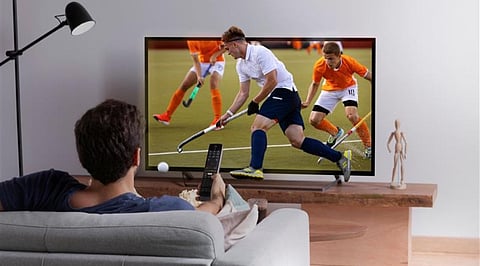
Sports involve quick camera pans and sudden player movement, which can blur on a regular TV. Motion handling technology helps keep fast action crisp rather than blurry.
Strong upscaling technology also plays a significant part in improving the image while you watch live sports broadcasts. This is because many sports channels still do not transmit in full 4K resolution.
A bigger screen naturally pulls you closer to the action, making stadiums and courts feel wider and more immersive. But brightness is also an important factor to consider. If you often watch matches throughout the day, a brighter panel will handle sunlight glare better and keep every detail clear, even in a well-lit space.
Smart TVs today can do much more than stream Netflix. Here are some things to keep an eye out for:
Multi-view / picture-in-picture – Watch two matches side by side right from the same home screen.
Quick app switching – Jump between streaming apps and live TV without long loading times.
Voice search – Find a match or channel faster, without typing anything.
At the end of the day, picking the right TV for gaming or sports comes down to a handful of basics: a smooth refresh rate, low input lag, strong motion handling and enough brightness for your room. Every game night and every match day will be much more enjoyable if you have a reliable smart TV that satisfies all of these requirements.
If you keep these considerations in mind, choosing your new television will be much simpler. This is true regardless of whether you are a casual watcher or a committed gamer dedicated to capturing every frame. A little research now saves a lot of regret later, so take your time before deciding.
Which TV technology is best for gaming?
OLED is best for gaming on a smart TV. It has deep blacks and sharp contrast, so games look great in a dark room. Pick an Android TV with a 120Hz refresh rate, HDMI 2.1, VRR and ALLM to cut lag and stay smooth.
Which TV technology is best for sports?
QLED or Mini-LED is best for sports. They shine brighter, so they beat sunlight and daytime glare better than OLED. Also, choose a TV that can handle motion well and upscaling well, since many sports programs still don't show full 4K.
Do I need a soundbar with my gaming or sports TV?
It's not a must, but it helps a lot. Built-in TV speakers often sound thin and weak. A soundbar makes sound richer, so game effects and stadium noise feel more real. Just make sure your smart TV has a spare HDMI 2.1 port for it.
