.png)

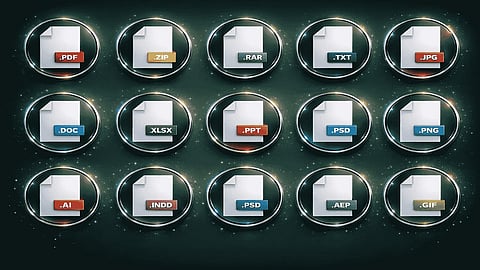
Files rarely remain within the same format during the period that is required of them. It might be necessary to convert a PNG file to SVG format, to convert a file into PDF format, or even extract an audio file from video to use for another purpose. In cases when certain software is unable to process a specific file, format can become an obstacle.
Convertio provides a solution to the above challenge by enabling users to upload a file, choose the desired output format, and convert the file online. Being a browser-based file converter, Convertio is able to work with more than 300 file formats in different types of conversions, as per its official website.
File extensions tell the way data is stored and how compatible applications are supposed to read it. Although there are similarities between two formats in the information they store, their behaviors during editing, transfer, or opening them in another application can vary from each other.
For instance, a PNG file may be the best fit for graphics that need transparency, but JPEG would be better for photographs. MP3 is a great format for audio transfer while WAV works better with audio without compression. In the same way, DOCX is perfect for documents that are meant to be edited while PDF is good for documents where layout is essential.
According to the Library of Congress, transparency, documentation, software compatibility, and longevity are among the criteria used in evaluating digital formats. This information shows why it is important to choose a format based on usage rather than on its file size. (Library of Congress: Recommended Formats Statement)
Conversion online may become a simpler alternative to the process of using some dedicated software applications. This is how it works with Convertio – this tool offers users a web-based process during which users select a source file and the format they need the file to be converted into.
The common process looks as follows:
Upload the file to convert: Users can select the file from their computer or other sources.
Select the output format: The format should correspond to the application, device, or platform the file will be used on.
Review the available settings: It may be a question of adjusting such factors as quality, resolution, codec, etc.
Convert the file: The service converts the file and prepares its converted version.
Download the file and review the results: One should open the output file and make sure everything works.
Convertio offers online conversion that means that no local processing resources will be involved as it happens with desktop conversion software. Moreover, this tool's website suggests the support of several categories of conversion and advanced settings for many file formats.
This option may be useful when working on a public computer or when the needed conversion software is absent.
Choosing a destination format should start with the purpose of the file itself. Changing the format just because it is a known extension may not really address the original problem.
Some points to think about before proceeding:
Where is the file going to be used? Take note of the required formats of the websites, programs, or gadgets.
Is quality more important than file size? File compression could save storage space, but it might also mean losing some data.
Will the file be edited again later? The easy way to share the file might not necessarily have all the editing functionalities of the original one.
Are there features like transparency in the file? See if the destination format supports these.
Is the original file necessary for later use? Save an unaltered version of the file if the original has some important data.
For example, compressing a high-resolution picture to make it easy to upload could mean lowering its resolution as well. Similarly, changing an editable document to PDF would make it easy to distribute but harder to edit after that.
An effective conversion process involves more than just choosing the appropriate format. There are some simple steps which will help avoid frequent mistakes.
Before starting to convert any file, make sure that it opens properly. If a file is corrupted, conversion might not be able to restore missing data.
A video meant to be uploaded on a website may require a different level of resolution and compression compared to the one meant to be archived and then edited later. Other options, including image dimensions, audio bitrate and many others, depend on the final purpose.
Never assume that once the process is completed, everything is done right. Check such important aspects as document formatting, images quality, audio playback, video synchronization, special characters.
Store the original until you verify that the new file works for you. It is especially necessary when converting large numbers of documents and media files.
Convenience should never be an alternative to proper handling of sensitive data. Before you upload a file to an online conversion program, think about the fact that it might have business documents, personal identification details, financial information, or even private communication included.
Check the current privacy policy and security of the conversion program before uploading any sensitive data. For very sensitive files, use an approved offline program instead.
Finally, it is recommended that you organize the converted files properly. Proper file names and using different folders for original and converted files will make it much easier to determine which version you need at a later stage. If you are converting several files for your project, make sure their new file names are still understandable.
With file conversion, it becomes possible for people to move their files from one program to another, from one device to another, or through workflows in such a manner that they are not limited by the format of the files when created. This may be with the aim of making it easier to share the files, or to resize images for websites, or even to convert audio files into other formats. Whatever the case, the correct format of file conversion will make things easy.
The Convertio software makes it possible to convert files into other formats via the web interface without installing the file conversion software. But to get the best results, the right format should be chosen, settings looked at, and the result examined.
