.png)

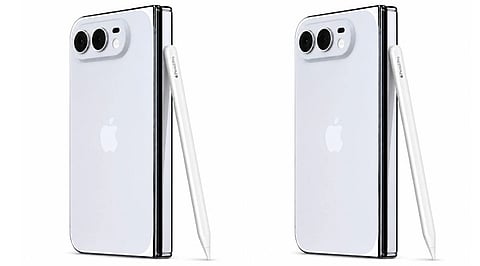
Apple’s iPhone Duo will gain Apple Pencil support with iOS 27.2, bringing stylus input to both displays. The feature appeared in the Release Candidate, and Apple expects to release the update publicly next week. Creative Strategies analyst Max Weinbach confirmed the functionality after installing the latest test version on his device.
The update allows the Apple Pencil USB-C model to work across the iPhone Duo’s inner and outer screens. Users can write notes, sketch, annotate documents and scroll through supported apps using the stylus. The addition expands the foldable iPhone’s productivity options without requiring a separate device for basic stylus tasks.
The iPhone Duo supports the Apple Pencil USB-C, but other Apple Pencil models remain incompatible. The Apple Pencil Pro and older versions cannot connect to the device. This limitation reflects the hardware requirements of Apple’s more advanced stylus models.
The Apple Pencil Pro relies on features such as magnetic attachment and wireless charging. The iPhone Duo lacks the required hardware, which limits compatibility to the USB-C version. Users considering the accessory should check the model before purchasing it.
Apple initially said stylus support would arrive later this year when it introduced the iPhone Duo. The feature’s appearance in the iOS 27.2 Release Candidate suggests Apple may have moved up its release. The public rollout is expected around October 26, although Apple has not confirmed a specific date.
The USB-C Pencil also lacks several advanced capabilities available with supported iPad models. These include pressure sensitivity, squeeze gestures, haptic feedback and Find My tracking. Reports also point to possible Pencil hover support for certain AI and Siri shortcuts, although those details require confirmation.
The update marks a notable expansion of stylus functionality on Apple’s foldable phone. Its practical value will depend on supported apps and how users incorporate handwriting into everyday tasks.
Also Read: Apple Developer: Complete Guide to iOS App Development and Publishin
