.png)

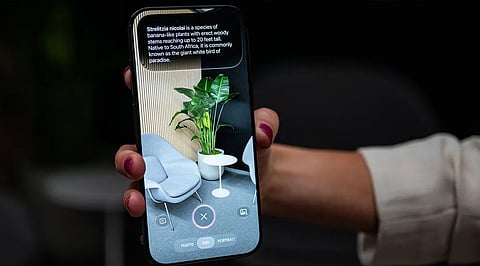
Google is rolling out an update to AI Mode in its Search app that lets users capture and attach multiple photos in one session. The change makes visual queries easier by removing the need to reopen the camera.
Spotted in Google app version 17.78.13, the feature allows users to add up to 10 pictures before submitting a question. It is arriving gradually through a server-side rollout.
Previously, tapping the Lens icon in AI Mode opened a camera interface with a shutter button. To include another picture, users had to reopen the camera and repeat the process.
The update replaces the shutter button with a plus icon. Tapping it captures a photo, while subsequent taps let users take more pictures without leaving the camera screen. Images appear as thumbnails, allowing users to review their selections.
An “X” icon lets users remove unwanted pictures. Once finished, they can tap “Add photos” to attach the collection to the AI Mode prompt box, then submit a question alongside the images.
The expanded camera support could help with queries involving several objects. Users could photograph multiple products and ask AI Mode to compare them, or capture items and seek help identifying them.
It also removes a step for people who prefer taking pictures instead of uploading images from their gallery.
Also Read: Google Messages May Soon Get iMessage-Like Threaded Replies
Google is distributing the feature with its latest app update, but installing version 17.78.13 may not make it available. Since the rollout appears to be server-side, access will depend on when Google enables it for individual accounts and devices.
The feature is appearing on several devices as distribution widens. Users who do not see the plus button may need to wait for the update to reach their account.