.png)

A 3D modeling mouse must deliver high precision and smooth responsiveness for detailed work.
Ergonomic design is crucial to avoid wrist fatigue during long modeling hours.
Advanced features such as customizable buttons and 3D navigation can significantly speed up CAD workflows.
Anyone who spends their day in a 3D program knows how quickly a regular mouse can start to feel limiting. Rotating a heavy model, sculpting tiny details, or shifting the camera angle a dozen times a minute is tiring when the device in hand is not built for it. Over the past few years, a new category of Mouse has grown quietly but steadily; these mouse will have become almost essential for designers.
These mouse make every movement smoother and every long session easier on the hands. Here is a list of the best mouse for 3D work:
People in CAD circles talk about this mouse the way photographers talk about their favorite lens. CadMouse Pro is designed for comfort, and the sensor accurately tracks even the tiniest of hand movements. The extra middle button feels small but makes a world of difference when constantly rotating views.
Also read: Best Left-Handed Gaming Mouse of 2025
This one can make it feel like the user is holding the model itself. The controller cap responds to gentle pressure and lets us move around a scene in a way that regular Mouse simply cannot mimic. SpaceMouse Pro is incredibly helpful for architectural work and for any project that requires smooth, fluid navigation through a complex layout. After getting used to it, going back to a normal mouse feels strange.
A smaller, lighter version of its bigger sibling. SpaceMouse Compact delivers the same natural 3D movement while fitting easily into tighter desk setups. Designers who like clean workspaces usually go for this because this mouse feels unobtrusive yet powerful, the moment one starts navigating a model.
Also read: Top Laser Mouse to Buy in 2025
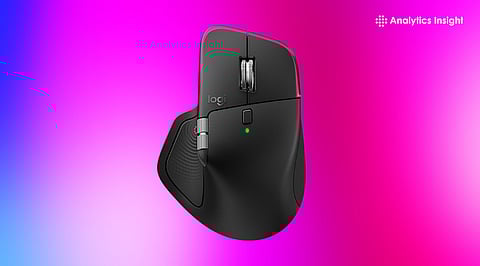
Even though iMAX Master series is not marketed as a CAD tool, the mouse has become a favorite among artists and engineers. The body of this mouse fits the hand comfortably, and the sensor works beautifully on almost any surface. Users can set up custom shortcuts that speed up sculpting or editing, and it transitions well between creative work and everyday tasks.
Surprisingly, many modelers still prefer a good gaming mouse. Its high-DPI sensors respond instantly, and the programmable buttons enable quick tool switching. For people who want accuracy without buying a specialized CAD mouse, these are often the most budget-friendly options that still deliver excellent control.
Upgrading to a different mouse may seem like a tiny change, but in 3D work, it can reshape a designer’s entire workflow. CadMouse Pro Wireless excels for users who want absolute precision. SpaceMouse Pro offers a smooth, almost floating style of navigation. MX Master series is perfect for someone who needs a reliable, comfortable all-rounder. As one starts working with the right device, the difference is impossible to ignore.
Do I really need a special mouse for 3D modeling?
If one needs to work for long stretches or needs steady control, a specialized mouse is more helpful than expected.
Is a 3D navigation mouse worth it?
For CAD-focused work, yes. It lets users move models around in a way that regular Mouse cannot imitate.
Are gaming Mouse useful for 3D design?
Yes. Their fast sensors and extra buttons make them surprisingly effective.
Which matters more, comfort or precision?
They support each other. Precision improves accuracy, and comfort protects the hand during long hours.
Can one mouse handle both modeling and daily tasks?
Absolutely. The MX Master series is a good example of something that works well for both.
