.png)

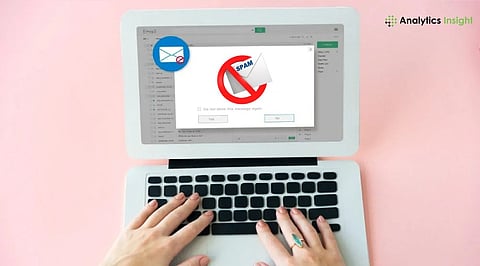
Learn the most effective ways to remove spam from Gmail in 2026.
Discover Gmail's latest Manage Subscriptions feature and advanced spam filters.
Protect your inbox from phishing attacks, mail bombing, and unwanted promotional emails.
Spam emails are no longer simple scams loaded with grammatical errors. They may be fake newsletters, order confirmations, bank notifications, and promotional emails. However, even though Gmail uses AI-powered spam filters to block billions of suspicious emails every day, some spam emails still manage to make it into people's inboxes following a data breach or sharing the email addresses on several websites.
Luckily, Gmail has come up with some of the best tools available in the market to minimize spam emails. It is possible to avoid spam emails by using Gmail without having to switch service providers. This is how.
Manage Subscriptions is one of the most significant enhancements to Gmail that is meant to ease the process of unsubscribing from newsletters. Rather than having to sift through several promotional emails, Gmail will display all your subscriptions and show you how often each one sends emails to you.
To use it:
Open Gmail.
Navigate to Manage Subscriptions.
Review your mailing lists.
Remove newsletters and promotions you no longer read.
This feature is especially useful for legitimate marketing emails that accumulate over time without requiring you to open each message individually.
Also Read: Top Gmail Alternatives to Consider in 2026
Many users delete junk emails immediately. While that removes them from the inbox, it doesn't help Gmail improve its spam detection.
Instead:
Select the unwanted email.
Click Report Spam.
Gmail moves the message to the Spam folder and uses the report to improve future filtering.
Filing repeated spam reports for similar emails makes it easier for Gmail to detect similar campaigns. Emails in the Spam folder are automatically deleted after 30 days. There is no need to empty your Spam folder manually if you don’t want to save space.
Some unwanted senders continue emailing despite repeated spam reports.
For these cases:
Open the email.
Click the three-dot menu.
Select Block Sender.
Future emails from that address will automatically be directed to the Spam folder. However, remember that blocking works best against individual senders. Professional spammers often change email addresses regularly, so blocking alone won't eliminate every unwanted message.
If you notice similar promotional emails arriving from different addresses but sharing common keywords or subjects, Gmail filters can automate cleanup.
For example, you can filter emails containing:
"Congratulations! You've won"
"Crypto investment"
"Exclusive offer"
Certain domains or sender names
After creating the filter, choose actions such as:
Delete automatically
Skip Inbox
Mark as Spam
Archive immediately
Filters are particularly effective for recurring promotional campaigns that Gmail doesn't automatically classify as spam.
It should be noted that not all unsubscribe buttons are safe. When dealing with trustworthy companies such as Amazon or LinkedIn, for example, using the unsubscribe button is completely acceptable.
In case an email appears to be dubious, poorly formatted, and/or sent by an unknown user, never click on any unsubscribe buttons. As cybersecurity experts suggest, phishing unsubscribe buttons may reveal that your email is real and thus result in receiving even more junk mail.
Preventing spam is always easier than managing an already overloaded inbox. There are a few tips to prevent any spam emails from reaching you. It is not advisable to share your Gmail address on any website where you are required to enter it. You can create different email accounts for various activities.
You should regularly audit the apps that connect to your Google account and remove any app whose services you are not currently using. It is also wise to activate two-factor authentication (2FA), which adds more security to your email account. Be very careful when registering with any new websites or promotional sites.
When your inbox fills up with hundreds of emails very fast, it could indicate that you have received a mail bombing. The attackers usually do this as a strategy to hide any security notifications that might require action, such as password changes and unauthorized logins.
Also Read: How to Send Emails Without Opening Gmail Using ChatGPT?
A clutter-free Gmail inbox isn't achieved by deleting thousands of emails in one sitting. Instead, it comes from consistent habits like reporting spam, unsubscribing from trusted newsletters, creating smart filters, and using Gmail's built-in subscription management tools.
With Gmail consistently improving its AI-based spam prevention measures, the combination of Google’s automatic spam filter and some time spent organizing one's inbox will ensure that the number of spam emails received becomes minimal. Organization is crucial in protecting one from phishing attacks, scams, and other types of spam.
Why this Matters
Email remains one of the most important communication tools for work and personal life, making inbox security more critical than ever. As spam, phishing, and AI-generated scam emails become increasingly sophisticated, knowing how to use Gmail's built-in security and filtering features helps protect sensitive information, improves productivity, and reduces the risk of cyber threats.
While it's impossible to eliminate spam, you can significantly reduce it by reporting unwanted emails, blocking persistent senders, unsubscribing from trusted mailing lists, and creating Gmail filters. Regularly reviewing connected apps and enabling two-factor authentication also helps prevent your email address from being misused, keeping your inbox cleaner over time.
Gmail's Manage Subscriptions feature automatically gathers your newsletter and promotional subscriptions into one place. Instead of opening individual emails to unsubscribe, you can view all active subscriptions, see how frequently each sender emails you, and remove unwanted subscriptions with a single click, making inbox cleanup much faster.
Yes. Deleting spam only removes it from your inbox, while reporting it helps Gmail's AI-powered spam detection system learn from the message. Over time, this improves Gmail's ability to identify similar spam campaigns and automatically block them before they reach your inbox or other users' accounts.
Not always. If the email is from a trusted company such as Amazon, Google, or LinkedIn, using the unsubscribe option is generally safe. However, avoid clicking unsubscribe links in suspicious or poorly designed emails, as scammers may use them to verify that your email address is active and send even more spam.
Gmail filters let you automatically sort, archive, delete, or mark emails as spam based on criteria such as sender, subject line, keywords, or specific domains. They are especially useful for recurring promotional emails or newsletters that bypass Gmail's default spam filter yet remain unwanted in your inbox.
