.png)

WhatsApp’s AI Stickers feature allows users to create custom stickers instantly using simple text prompts within the app.
The tool removes the need for third-party editing apps, automatically saving generated stickers for easy reuse in chats.
Powered by Meta’s generative AI, the feature enhances creative expression and personal communication across individual and group conversations.
WhatsApp has transformed digital expression by embedding generative AI directly within its messaging platform. This feature lets users instantly turn creative text prompts into unique, high-quality AI stickers, removing the need for complex third-party design tools.
By democratizing creative production, WhatsApp has made personalized communication accessible to over 2 billion users worldwide. This seamless fusion of technology and art allows a more emotive, tailored, and interactive chat experience, ensuring that every conversation feels distinctly personal and creatively limitless.
Also Read: ChatGPT Image Generator for WhatsApp Stickers: Step-by-Step Guide
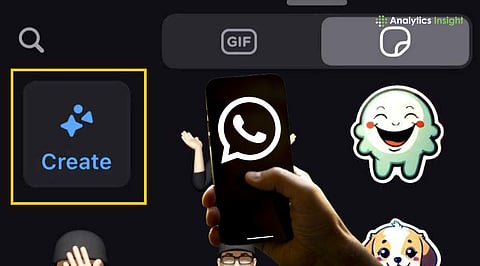
To make WhatsApp Stickers using AI, open an individual or group chat and tap the emoji icon. Within the sticker tab, a "Create" or "Generate with AI" button appears for eligible users. Entering a descriptive prompt like "a cat wearing a tuxedo" prompts the system to generate four unique variations for selection.
Nano Banana, Google's latest and most advanced image generator, drives these Custom WhatsApp Stickers, delivering high-quality rendering and clear details.
If the initial drafts do not reflect the desired idea, the user can simply adjust the text description to switch the art style or colors. These creations are stored by default in the user's recent tray for future use.
Meta recently expanded these features to include animated stickers for Status updates, a first for the platform. "Meta AI image creation improvements on WhatsApp deliver huge leaps in quality," stated a company executive during the 2026 feature roundup.
While the rollout began in select regions like India and the US, it is now reaching a wider international audience across Android and iOS.
The current version of AI-powered stickers is a huge improvement over earlier manual "cut-out" tools. Previous versions made users carefully remove backgrounds or rely on external editors to create high-quality assets.
The integration of Flux and Midjourney-level capabilities allows for complex, high-resolution designs that were previously impossible for average users to produce without professional skills.
Also Read: How to Create & Personalise New Year 2026 Stickers on WhatsApp
WhatsApp’s built-in AI tool offers unmatched convenience and strong security, simplifying the creative process within a single interface. The platform keeps every conversation visually unique by shifting from static, pre-loaded packs to a dynamic, endless library.
The feature’s development process is maintaining its momentum. Current technology trends suggest that voice-to-sticker functionality may arrive by the end of 2026, allowing users to create custom expressive graphics with only their spoken words.
1. What are WhatsApp AI stickers, and how do they differ from regular stickers?
WhatsApp AI stickers use artificial intelligence to generate personalized sticker images from text or photos, offering more creativity than standard pre-made sticker packs.
2. Can I create AI stickers from my own photos?
Yes, you can upload your photos, and WhatsApp’s AI tools transform them into custom stickers that reflect your style, expressions, or ideas.
3. Do I need technical skills to make custom WhatsApp AI stickers?
No coding or design skills are needed. WhatsApp AI sticker tools are user-friendly, allowing anyone to create unique stickers quickly from text or images.
4. Are there limits to what I can turn into a WhatsApp AI sticker?
While most images and ideas work, stickers should follow WhatsApp’s content policies and avoid offensive or copyrighted material to ensure proper sharing.
5. How do I share my custom AI stickers with friends?
Once your AI stickers are created, you can add them to WhatsApp chats or share them as packs, letting friends use them instantly on their devices.
