.png)

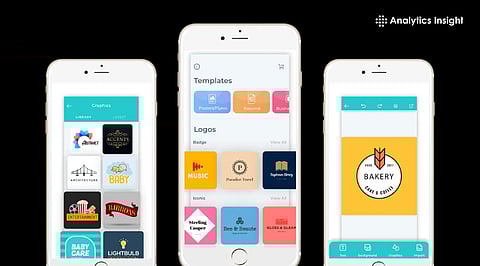
Logo design apps have evolved to combine AI-assisted creation, intuitive editors, and options to export brand assets.
Look for features such as vector export, AI suggestions, collaboration tools, and full customization options.
Options range from beginner-friendly to professional-grade, so choose based on your brand's needs and design skills.
The ability to design logos is no longer a skill limited to graphic designers; it's available to everyone. Entrepreneurs and freelancers can design logos using different online apps. Many small businesses and startups use DIY logo design tools to create appealing logos for their brands. Recently, the best logo design apps can help to design a logo for a café or e-commerce brand.
A freelancer creating social media content has different priorities than a startup founder launching a new brand. Likewise, an agency managing multiple client projects will need capabilities that a solo entrepreneur may never use.
To help you choose, we've evaluated six of the most popular logo design apps available today: Adobe Express, Design.com, Canva, Looka, Kittl, and Logo.com. Here’s who they're best suited for.
Adobe Express is a natural choice for businesses and creative professionals already invested in the Adobe ecosystem.
The platform combines logo creation with content design, making it useful for teams that need consistent branding across social media, presentations, advertising campaigns, and marketing materials.
Here are two samples for logos made for a coffee shop called “Morning Glow Coffeehouse.”
The templates it generated would need extensive customization. This makes them ideal for those who are already familiar with the Adobe ecosystem.
One of Adobe Express's biggest strengths is its integration with Creative Cloud. Teams can move assets between Adobe products while maintaining a consistent brand identity.
Seamless Adobe ecosystem integration
AI-assisted design tools
Strong branding controls
Excellent for marketing workflows
Extensive font and asset libraries
Marketing teams
Creative departments
Existing Adobe customers
Medium-to-large organizations
The main drawback is that Adobe Express can feel overwhelming for users who simply want to create a logo quickly without navigating a broader design platform.
If you're building a business rather than simply designing a logo, Design.com stands out as one of the most comprehensive branding platforms available today.
Unlike many logo makers that stop at logo generation, Design.com extends the process into complete brand creation. Businesses can design logos, build websites, create business cards, generate social media assets, and manage multiple brand touchpoints from a single platform.
At the center of the platform is its AI-powered logo maker, which draws from one of the industry's largest collections of design assets. With more than 500,000 logo templates and over one million total design templates available, businesses have access to an exceptionally broad range of design styles and industries.
Here are logo design samples for the same coffee shop, “Morning Glow Coffeehouse.”
Design.com also offers advanced AI editing capabilities. Users can modify logo icons, update typography, and request design changes using a conversational interface. This significantly reduces the learning curve for non-designers while maintaining professional-quality results.
AI logo generator
AI website builder
AI business card creator
AI flyer and poster tools
AI business name generator
AI-powered logo editing
Commercially safe designs
Extended logo licensing options
More than 50 branding and marketing tools
Another major advantage is scalability. As businesses grow, they can extend their branding efforts beyond logos without switching platforms.
Small businesses
Startups
Entrepreneurs
Service providers
Local businesses
Growing brands
For businesses looking for a complete branding solution rather than a standalone logo tool, Design.com offers one of the strongest value propositions in 2026.
Canva has become one of the world's most popular design platforms for a reason: it's incredibly accessible.
While Canva isn't exclusively focused on logo design, its ease of use and enormous template ecosystem make it attractive for creators who need logos alongside ongoing content production.
Users can quickly create logos, social graphics, presentations, marketing materials, and brand kits without requiring design expertise.
Here’s what we got for our coffee shop, “Morning Glow Coffeehouse.”
Beginner-friendly interface
Massive template library
Collaboration features
Strong social media capabilities
Fast learning curve
Content creators
Freelancers
Consultants
Small teams
Social media managers
Canva's biggest advantage is speed. Users can move from logo creation to marketing execution without leaving the platform.
Looka focuses heavily on AI-driven branding.
Instead of offering deep customization, the platform emphasizes speed and convenience. Users answer a few questions about their business, preferred styles, and industry, and the system generates logo concepts and branding assets automatically.
This streamlined process appeals to founders who need a professional identity quickly.
Check out the logo samples from Looka for “Morning Glow Coffeehouse.”
AI-first workflow
Fast logo generation
Automated brand kits
Simple onboarding process
First-time entrepreneurs
Side projects
Early-stage startups
Lean teams
Looka may not offer the same level of customization as more design-focused platforms, but its efficiency is appealing for users prioritizing speed.
Kittl has developed a strong reputation among designers thanks to its sophisticated typography and customization tools.
The platform gives users significantly more creative freedom than many AI-focused logo generators. This makes it attractive for professionals who want to create distinctive, highly customized visual identities.
Here’s what it generated for “Morning Glow Coffeehouse.”
Key strengths:
Advanced typography controls
Detailed customization options
Professional-grade effects
Illustration-friendly workflows
Professional designers
Agencies
Branding studios
Creative professionals
Kittl rewards users willing to invest more time into the design process and offers flexibility that many automated tools cannot match.
Logo.com positions itself as an accessible entry point for individuals and businesses with limited budgets.
The platform offers free logo generation and basic branding resources, making it useful for testing ideas before investing in more advanced branding tools.
These are logo samples from the platform for “Morning Glow Coffeehouse.”
Free logo generation
Beginner-friendly workflow
Simple setup process
Accessible pricing
Hobby projects
Early-stage startups
Personal brands
Budget-conscious users
While it lacks some of the advanced branding capabilities offered by larger platforms, Logo.com provides a straightforward way to create an initial visual identity.
Every logo design app on this list serves a different audience. Adobe Express excels within the Adobe ecosystem. Canva is ideal for content creators. Looka simplifies AI-powered branding. Kittl provides advanced creative control, and Logo.com offers an accessible starting point.
However, when evaluating overall value, Design.com emerges as the strongest choice for most businesses in 2026.
Its combination of AI-powered logo creation, advanced editing capabilities, website building, business branding tools, commercial-safe assets, extensive template libraries, and scalable business resources makes it far more than a logo maker. It functions as a complete branding platform capable of supporting businesses from launch through growth.
For entrepreneurs, startups, and small businesses seeking the most comprehensive solution, Design.com is the logo design app to beat in 2026.
1. What are the charges for a logo design app?
Many apps offer a free trial that lets users perform basic tasks. The brand kits and high-quality exports need a one-time subscription.
2. What are the important features in a logo design app?
Users should look for brand kit, vector export, and AI features when choosing a logo design app.
3. Is designing skill necessary to use logo design apps?
No, the logo design apps come with AI features and templates that make logo design easier.
4. How to export logos for web and print?
Apps like Design.com and Adobe Express help export logos for print and digital use. They include features such as SVG and PNG for exporting logos.
5. Is the AI tool safe for brand uniqueness?
Yes, the AI tools are safe for Branding, thanks to customized color and font options.
